



Key Takeaways
- How to install CoinPoker on Windows and Mac, including which package matches your hardware;
- How to get the Android app running, with manufacturer-specific permission steps;
- Your options on iPhone and iPad – native app or browser play;
- System requirements for smooth performance;
- What opens up in the client once you’re signed in.
Installing CoinPoker on Windows from the Official Desktop Package
Getting the CoinPoker App download running on Windows starts on the official Download page, where you select Windows and wait for the installer to finish. Open the file from browser downloads or the Downloads folder in File Explorer. Installation begins from that local setup file. The Windows guide uses a short sequence. Complete them in this order.
- Open the Download page: select Windows and save the setup file.
- Locate the installer: use browser downloads or File Explorer.
- Run the file: double-click it and approve the installation pop-up.
- Finish setup: follow the progress screen until installation completes.
The client is then ready to open. New users can register, while existing users can sign in with their current account.
Download Folder, Installer Permissions and First Launch
Windows may ask for permission before the installer makes system changes. Approve the request and let setup continue until the Finish button appears. The official guide states that the desktop client then launches automatically. If Windows Defender requests network access, allow the application through the security prompt. This approval appears only when Windows requires it.
Setting Up the macOS Client for Apple Silicon and Intel Computers
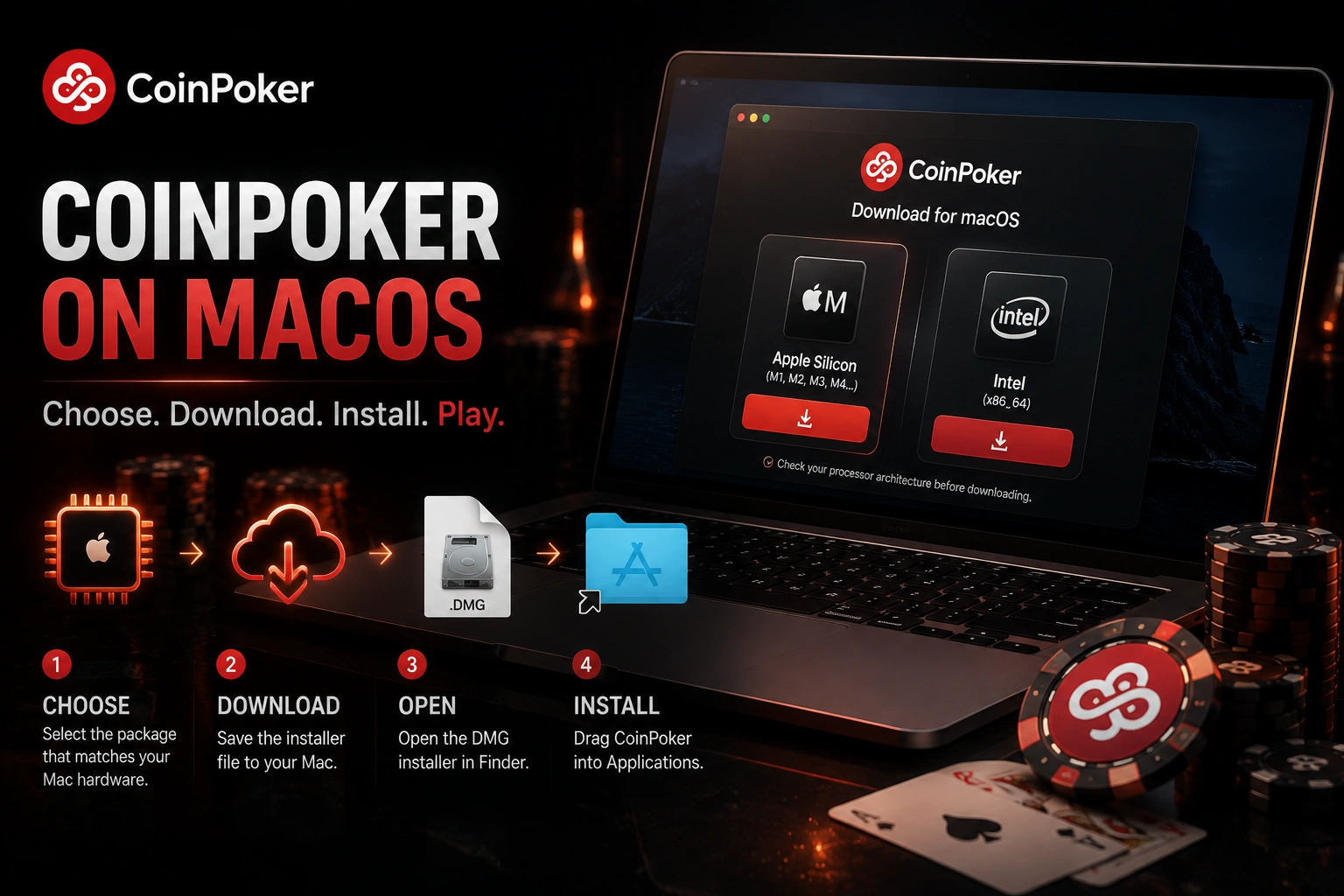
Setting up CoinPoker on macOS starts with choosing the package that matches your Mac hardware – the Download page separates Apple Silicon and Intel-based computers. The Download page separates Apple Silicon and Intel-based computers. Check the processor architecture before saving the file. The DMG installer opens through Finder. The application is then placed in Applications.
DMG File, Applications Folder and macOS Security Approval
Open the downloaded DMG and move the CoinPoker application into Applications. Launch it from that folder so macOS can complete its security check. If the package is blocked, open System Settings, select Privacy & Security, and choose Open Anyway. macOS may request the administrator password before continuing. Finish the installation and reopen the application from Applications for registration or sign-in.
Getting the Android Poker App Directly on Phones and Tablets
The CoinPoker Download Android package is obtained from the official Download page in a mobile browser and then opened as a local installation file. The Android client supports phones and tablets, including Samsung, Xiaomi, and Redmi. Open the downloaded file from the browser or notification area. Android may request extra permission for this local package. The settings route depends on the manufacturer.
Installation Permission, Play Protect and Device Settings
Some Android versions require permission under Install unknown apps before setup can continue. The official guide gives these device-specific paths:
- on Samsung, open Settings > Biometrics and security > Install unknown apps > Allow from this source;
- on Xiaomi or Redmi, open Settings > Privacy Protection > Special permissions > Install unknown apps;
- on other devices, check Settings > Security > Install unknown apps.
A warning can also appear for files downloaded outside the Play Store, and the guide directs users to choose Download Anyway. Play Protect or Auto Blocker may stop installation on some devices. The guide recommends switching the blocking function off temporarily to finish setup. Once installation is complete, open the client normally. New accounts then proceed to email confirmation.
Using the iPhone and iPad Version Through App or Mobile Browser
To download CoinPoker on an iPhone or iPad, you can use the iOS installation route or open the platform in a mobile browser without installing software. Both methods support the same account. Getting CoinPoker iOS Download installed starts on the Download page and continues in iOS settings. Browser play avoids local installation. Safari, Chrome, and Firefox are available for this browser route.
Device Trust, Application Launch and Browser Alternative
For the installed version, open Settings after download, then choose General and VPN & Device Management. Under the enterprise application area, select the developer and choose Trust. The current guide may also present Allow & Restart, after which the device restarts and permits the application to run. If you prefer browser play, open the web version and sign in with your existing credentials. The same account remains available without creating a separate mobile profile.
System Requirements Before Installing the Poker Software
Windows is recommended with Windows 10 or later, an Intel Core i3 or equivalent processor, 8 GB RAM, and 20 GB free storage. macOS is recommended with macOS 10 or later, 8 GB RAM, and 20 GB available storage. Android uses Android 10 or later, 4 GB RAM, and 500 MB free storage, while iOS uses iOS 15 or later, 2 GB RAM, and 500 MB. The Download page also lists stronger memory and storage targets. Those higher recommendations are shown separately below.
| Platform | Higher recommended memory | Higher recommended storage | Extra processor guidance |
| Windows | 16 GB RAM or more | 30 GB or more | Intel Core i5, 10th generation or later |
| macOS | 16 GB RAM or more | 30 GB or more | compatible with Mac processors |
| Android | 8 GB RAM or more | 2 GB or more | no separate processor target |
| iOS | 3 GB RAM or more | 2 GB or more | no separate processor target |
The table separates the stronger targets from the baseline installation figures. Checking storage before download can prevent setup from stopping because of insufficient space. The operating-system version should be checked at the same time.
Creating an Account and Signing In After Installation
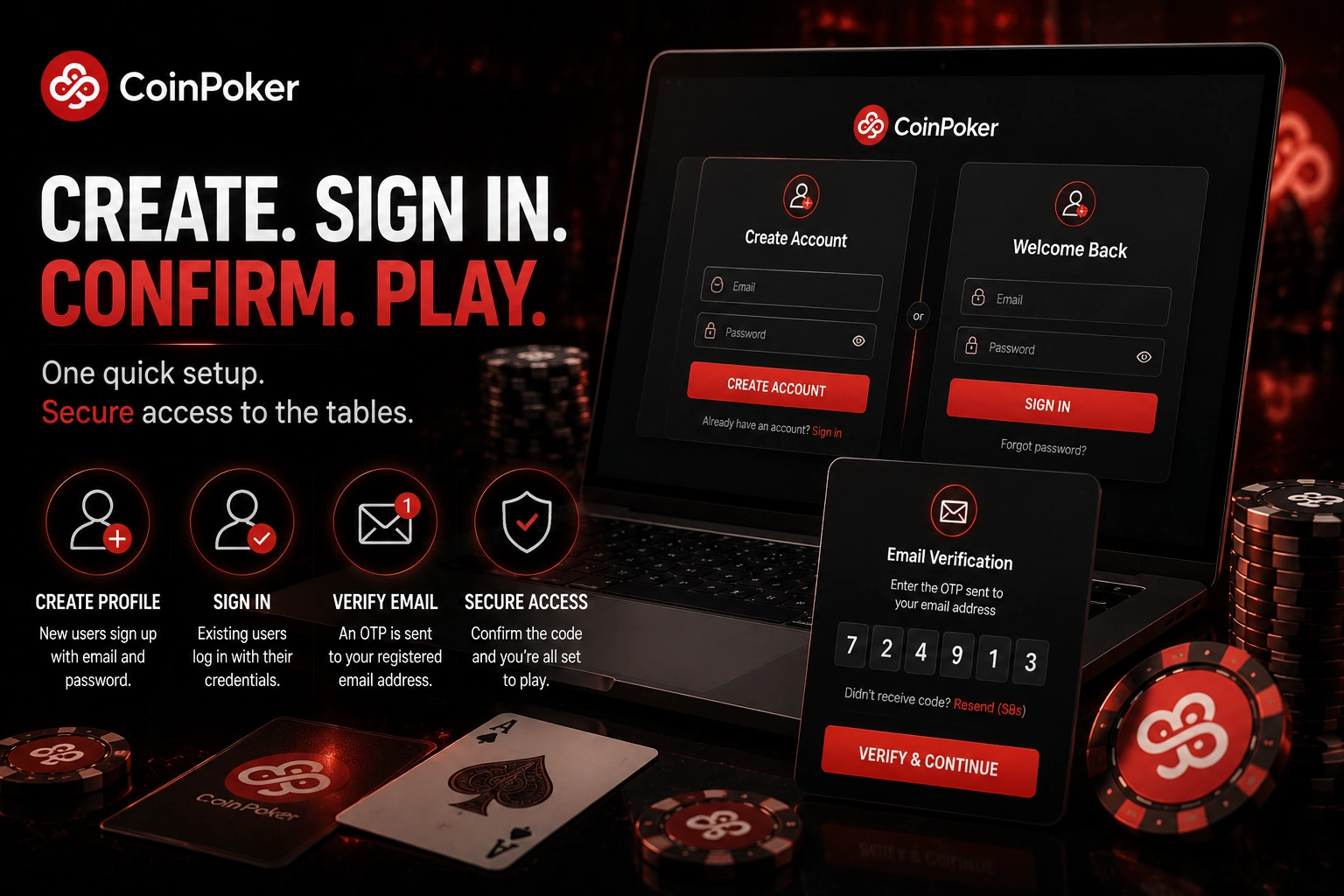
After first launch, a new user creates a profile with an email address and password, while an existing user signs in with current credentials. Registration sends an OTP to the registered email address for confirmation. Official Android guidance identifies this registration OTP as a six-digit code. Once confirmed, the same account can be used on supported desktop and mobile devices without a second registration. A security PIN can also be configured after the first login on trusted devices.
Poker Features Available After Opening the CoinPoker Client
Once the software is running, the client provides the main poker lobby, wallet functions, and account controls rather than a reduced companion interface. Cash games and scheduled events are available from the same environment. Mobile browser sessions and mobile applications retain access to the core poker functions used on desktop. Account tools remain attached to the same player profile across supported devices. The main differences concern screen layout and installation method rather than a separate poker account.
Hold’em, Omaha Variants, Tournaments and Multi-Table Sessions
The poker selection includes Texas Hold’em, PLO4, PLO5, and PLO6 in cash-game and tournament formats. Freerolls are also part of the tournament offering. On mobile, current technical guidance allows up to five tables at the same time in the browser, Android app, or iOS app. That limit supports mobile multi-table sessions. Players can switch between computer software, mobile apps, and browser play with the same credentials.